

Sections.
Every section that puts something beside some words is one of three containers. A page chooses which one, which side the visual sits on, and the artwork. The ratio, the gap, the padding and the type are the pattern, and they are not configurable.
Playground.
The three containers, on the real component with real copy from the site. Change the side and the stock; nothing else about a container is a choice.
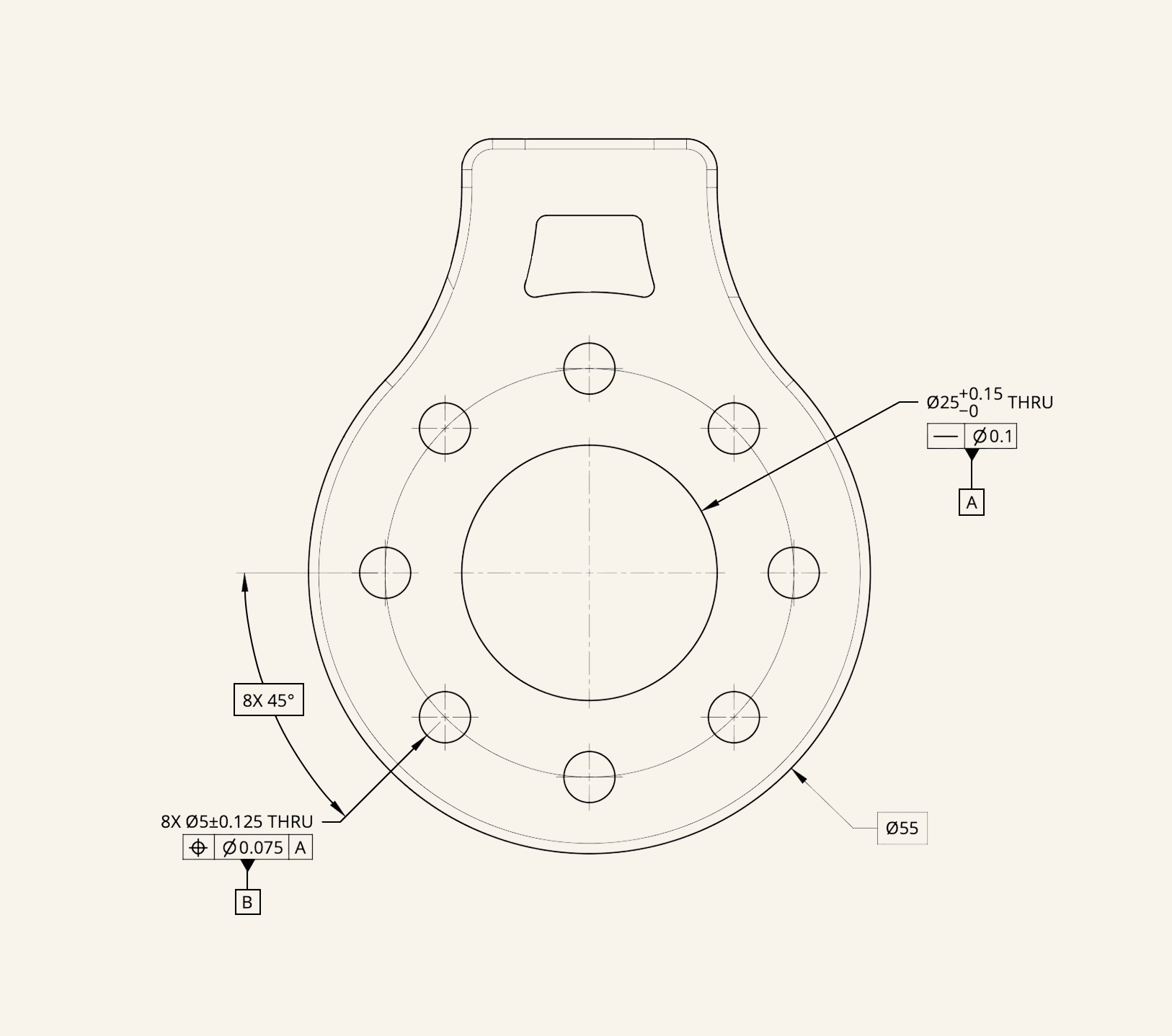
Drafter turns design intent into standardized drawings.
Set the intent on your model and hand off the drafting. Drafter tolerances the critical features, places datums and callouts, and returns a standardized ASME Y14.5-2018 drawing for every part, in minutes.
Explore the product
<ContainerOne
  flip
  src="/site/backgrounds/plm-archive.png"
  mock={<IntentToDrawing />}
  heading="Drafter turns design intent into standardized drawings."
  link={{ href: "/product-features", label: "Explore the product" }}
>
  Set the intent on your model and hand off the drafting. ...
</ContainerOne>Which one.
One is the loud one: the product, working, in a window on a dithered ground. Two is the quiet one: a photograph on one side, a heading and a link on the other, and the box most pages reach for when they have a point to make and no software to show. Three is the part: a real CAD model a visitor can spin, which is the only thing that earns it a container instead of a photograph with a caption.
The fill is the tell. One and three carry the band fill; two carries none, so it shows the page’s own ground. On the aerospace page that ground is the starfield, and a container two there is a window cut through to the sky.
| One | Two | Three | |
|---|---|---|---|
| Shows | A product mock, working | A photograph | The part itself, turning |
| Ground | A dithered print on light stock; the live field on reversed | The photograph, in a 3:2 hairline frame on vellum | None. The part floats on the band |
| Band fill | Paper to paper-deep | None: the page's own ground | Paper to paper-deep |
| Height | A panel 480px tall, 700px from 640px wide | The frame's own 3:2 | Two's 3:2, as geometry only |
| Words | Heading, a paragraph, a link | Heading and a link | Heading, a short paragraph, a link |
| Canonical | Home: design intent to drawings | Home: a team of engineers | Aerospace: your geometry |
What is fixed.
- The ratio: 0.4 to 0.6, the visual on the wide side, mirrored when it sits left.
- The rhythm: a 40px gap, and the band’s padding trimmed so the panel sits as close to the rules above and below as to the sides.
- The words: a heading at 20px, 24px from 640px wide, and a 15px graphite paragraph no wider than 28rem.
- No eyebrow. The heading is already a full sentence, so a kicker would label a thing that has just named itself.
- Color is inherited, never passed. A container is built only from tokens the reversed stock redefines, so the same one is light on the homepage and dark on the aerospace page with no prop.
Order on a phone.
There are no columns below 1024px, so the order in the markup is the order a phone reads, and it follows the side: a section whose visual sits right leads with its heading. That makes the side a content decision. A section that must lead with its words, an objection or a page’s close, is set first, and the rest alternate around it. When two same-side sections have to meet, a full-width object between them (a drawing package, the capability grid, a quote) is the break that keeps it from reading as a stall.
Paired split.
Two arguments of equal weight, side by side, ruled apart by one hairline that turns from horizontal to vertical when the columns arrive. Unlike a container, each side may take an eyebrow, because neither heading names the whole section. On /redliner and /product-features.
The reasoning
It tells you which rule, and why it exists.
Every finding names the control it is about and what that control requires, in the same words the Toolbox uses. An engineer who disagrees can see exactly what the read was and overrule it.
Open the ToolboxWhat it takes
Any drawing, including the ones you did not draw.
A supplier's sheet reads the same as your own, which is where most teams get the fastest use out of it: the drawing you are about to accept is the one nobody on your side has checked.
See what Drafter puts on a sheetShow codeHide code
<div className="grid grid-cols-1 lg:grid-cols-2">
  <div className="pb-10 lg:pr-10 lg:pb-0">...</div>
  <div className="border-t border-hairline pt-10 lg:border-t-0 lg:border-l lg:pt-0 lg:pl-10">...</div>
</div>Closing band.
Every page ends the same way: one line over the live field, Book a demo, and the Toolbox. SheetShell renders it, so a page never writes its own, and the site’s last word has one source.
Go to manufacturing.
Show codeHide code
// Nothing to write: SheetShell renders it on every page.
<SheetShell>...</SheetShell>

// The one page whose own close already is this band:
<SheetShell closing={false}>...</SheetShell> // /demoBest practices.
Do
- Use one of the three containers for anything beside some words.
- Choose the side by what a phone should read first.
- Drop the mock when a section has nothing to demonstrate, rather than invent one.
- Break a run of containers with a full-width object.
Don't
- Do not type a split by hand; the drifted copies are why the containers exist.
- Do not put an eyebrow on a container.
- Do not frame the model in container three, or give it a ground.
- Do not pass a color into a container; it inherits the stock.